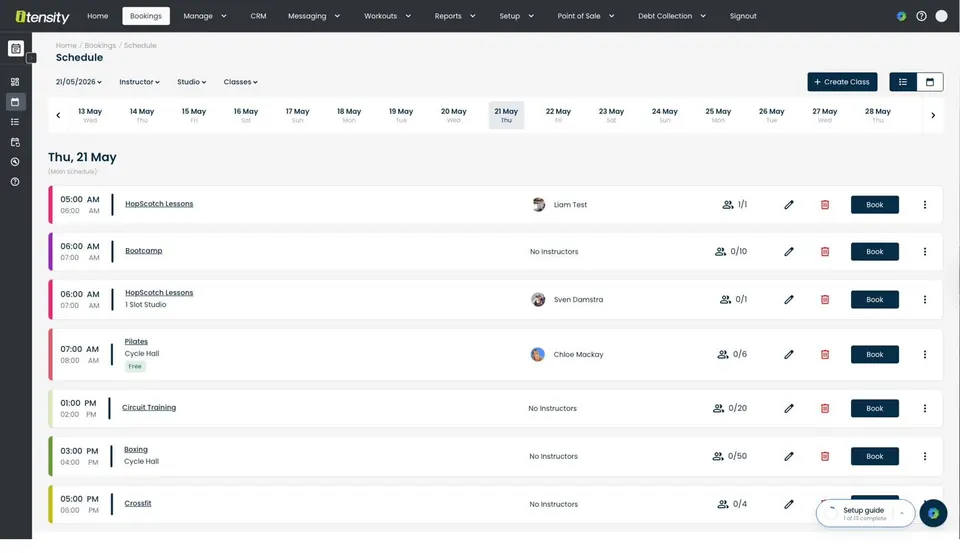
Put the right tools to work in your facility.
With Itensity handling the operational detail, you can focus on what matters most.
Studio Capacity
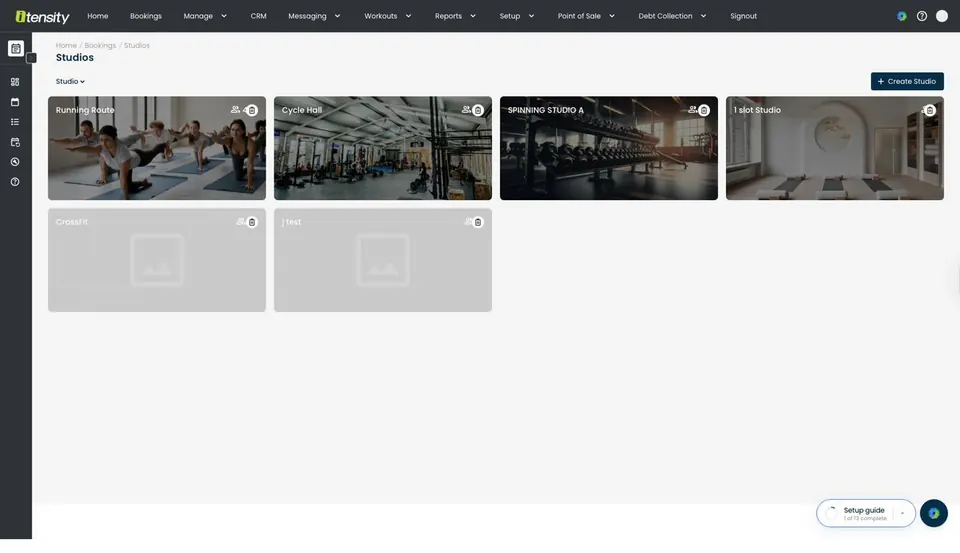
Define physical rooms with max capacities. System prevents overbooking per studio.
Dual-Layer Scheduling
Main schedule runs indefinitely. Custom overrides handle holidays without permanent changes.
Booking Ratios
Control what percentage of spots are bookable via app versus held for walk-ins.
Class Categorisation
Group by type, Strength, HIIT, Yoga, so members filter intuitively.
Participant Types
Members, CRM leads, reserved slots, and Vitality bookings tracked separately.
Instructor Management
Coach assignment, substitutions, attendance confirmation, and session tracking.
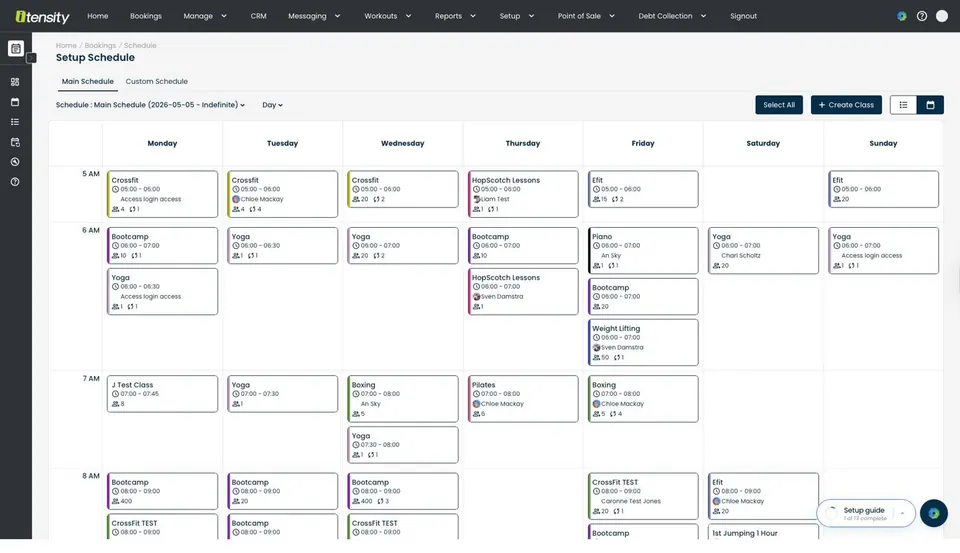
Dual-layer scheduling
Your main schedule runs indefinitely, set it once, and it repeats weekly. When public holidays or special events come up, create a custom override for specific dates. The override takes priority without altering your permanent timetable. When it expires, your regular schedule resumes automatically.
See Membership & Pricing →Studio capacity and overbooking prevention
Define each physical studio with its maximum capacity. Even when multiple classes run simultaneously, the system enforces room limits independently. Control what percentage of spots are bookable via the app versus reserved for walk-ins.
See Access Control →Instructor management and substitutions
Assign coaches to recurring classes. When someone calls in sick, substitute for a single session without changing the permanent schedule. Instructors mark themselves as attended to confirm the session for tracking and reporting.
See Workout & Performance →Participant tracking across channels
Members, CRM leads, reserved admin slots, and Vitality bookings are all tracked separately in each class. Your reports distinguish between trial visitors and paying members, giving you clean conversion data.
See Sales & CRM →Want to lighten the load on your staff?
Itensity’s got you.
Take a look under the hood and see how much you can do with bookings & scheduling.
Studio Capacity
Define physical rooms with max capacities. System prevents overbooking per studio.
Dual-Layer Scheduling
Main schedule runs indefinitely. Custom overrides handle holidays without permanent changes.
Booking Ratios
Control what percentage of spots are bookable via app versus held for walk-ins.
Class Categorisation
Group by type, Strength, HIIT, Yoga, so members filter intuitively.
Participant Types
Members, CRM leads, reserved slots, and Vitality bookings tracked separately.
Instructor Management
Coach assignment, substitutions, attendance confirmation, and session tracking.
Whatever you run, Itensity fits.
From boutique studios to enterprise chains, bookings & scheduling works for every facility type.
Frequently asked questions about bookings & scheduling.
Can I run different schedules for holidays?
Yes. Custom schedules override the main schedule for specific date ranges. When the custom period ends, your regular timetable automatically resumes.
How do booking credits work?
Each tariff defines daily, weekly, or monthly booking credits. Members can only book classes if they have available credits. Unlimited access is also an option.
Can non-members book classes?
Yes. CRM leads can be booked into trial classes, and Vitality Fitness members can book through the Discovery app. Both are tracked separately from regular members.
Works even better with these.
Membership & Pricing
Tariffs, contracts, credits, automated renewals and pro-rata billing.
Explore Membership & PricingSales & CRM
Visual pipeline, trial tokens, lead nurture, and conversion tracking.
Explore Sales & CRMWorkout & Performance
Programming, whiteboard, leaderboards, benchmarks, personal bests.
Explore Workout & PerformanceSee Bookings & Scheduling in action.
Book a personalised demo configured for your facility type.